Product photos for Etsy that actually sell
6 min read
On Etsy a buyer sees your listing at the size of a postage stamp and decides in a fraction of a second whether to open it. That changes how you should shoot.
On Etsy you aren’t competing on photos — you’re competing on thumbnails. A buyer sees dozens of listings side by side, each the size of a postage stamp, and decides in a fraction of a second which one to open. Anything that improves the shot at that size sells. Anything that only shows up when you zoom in doesn’t matter.
The first image does 90% of the work
Treat it as a cover, not as documentation. Three things decide whether it survives the search grid:
- The product fills the frame. Leave a margin, but a small one. Something shot from six feet away disappears in a thumbnail.
- Contrast against the background. A black dress on a dark floor is a blob. Put light products on darker surfaces and vice versa.
- One hero. No props, no full set, no three items at once — at thumbnail size that reads as clutter.
Shoot square. Etsy’s grid is square, and a vertical upload gets cropped by the platform — usually not where you would have chosen.
Light and preparation
The lighting rules are the same as for any product shot, and we covered them in more depth in the guide to product photos at home: daylight from a window, one source, no ceiling bulb. For handmade and second-hand goods there’s an extra step that’s easy to skip — preparing the item itself:
- Clean and press it. Creases read as “worn out” even when the piece is brand new.
- Remove dust and stray threads. Invisible in a thumbnail, decisive at full size.
- Fasten, straighten, align. Something hanging crooked looks lower-quality than it is.
Hanger, flat lay, or worn?
This is a real trade-off, and each option costs something different:
- On a hanger — fastest, but the garment hangs shapeless. Fine for structured pieces (jackets, coats), poor for knitwear, which stretches on the hanger.
- Flat lay — shows pattern and cut clearly and is excellent for detail shots. Says nothing about how the piece falls on a body.
- Worn — sells best, because the buyer sees proportion and drape. Costs the most: someone has to put it on and be photographed.
If you only take one photo, make it the one that shows shape. A piece shown on a person has an advantage you cannot make up for with better lighting.
How many images, and in what order
Etsy gives you ten image slots, but what matters isn’t the count — it’s the order, because buyers swipe through in sequence and most drop off halfway. A sequence that works:
- Hero shot — your strongest, most legible at thumbnail size.
- The whole item from another angle — back, reverse, laid out.
- Material detail — weave, grain, finish, stitching.
- Scale — in a hand or beside a familiar object. Etsy buyers ask about size constantly; a photo answers faster than the dimensions in your description.
- Any flaws — last, in close-up.
If you offer variants — colors, sizes, personalization — give each its own frame rather than one collage. A buyer choosing between two finishes wants to see them separately and at the same scale.
What not to do
- Don’t use supplier or stock photos. Beyond the copyright exposure, buyers can tell a catalog image doesn’t show your actual item, and they stop trusting your condition description too.
- No filters. A filter shifts color, and color that doesn’t match reality is the single most common reason for a return. Brightness and cropping, yes; saturation and warm presets, no.
- No collages or borders. Four images inside one square turn to mush at thumbnail size.
- No text or badges burned into the image. “SALE” banners eat space that belongs to the product and read as spam.
Show the flaws — it pays
It feels backwards, but photographing the stain, the wear or the loose seam reduces returns and protects your shop rating. A buyer who saw the flaw before purchase treats it as part of the deal. A buyer who discovers it in the parcel opens a case and leaves a review.
In practice: give the last one or two images to honest detail — the care and size label, the state of the material, any damage in close-up.
Different categories, different traps
The general rules hold, but each type of product fails in its own way:
- Knitwear — stretches out of shape on a hanger. Shoot it flat or worn, never suspended by the shoulders.
- Black items — phones overexpose them trying to “rescue” the shot, and you get a gray blob with no texture. Dial exposure down a step manually and shoot against a lighter background.
- Candles and ceramics — matte glaze and wax lose all form under flat frontal light. Side light is what reveals the curve.
- Bags — must be stuffed to hold shape (paper, a towel inside). Empty ones collapse and read as damaged.
- Anything shiny (resin, patent leather, glazed pottery) — reflects your lamp and you. Same rule as for jewelry: large, diffused light instead of a point source.
Where this stops working
For occasional listings the above is entirely enough. The problem shows up once you sell regularly and in volume — which is the difference between clearing out your closet and running a shop.
Then you hit three walls. Time: four photos per item across forty items is most of a weekend by the window. Consistency: listings shot on different days carry different light and different backgrounds, so your shop reads as random rather than as a brand. And most importantly, worn shots — the ones that actually sell — require someone to wear the piece. Not everyone wants to be in their own listings, and hiring a model for every batch isn’t something these margins support.
How we solve this in Renvido
Renvido takes an ordinary photo of a garment — hung on a closet door or laid out on a bed — and shows it on a model, in consistent light and framing, without arranging a shoot and without putting yourself in the picture.
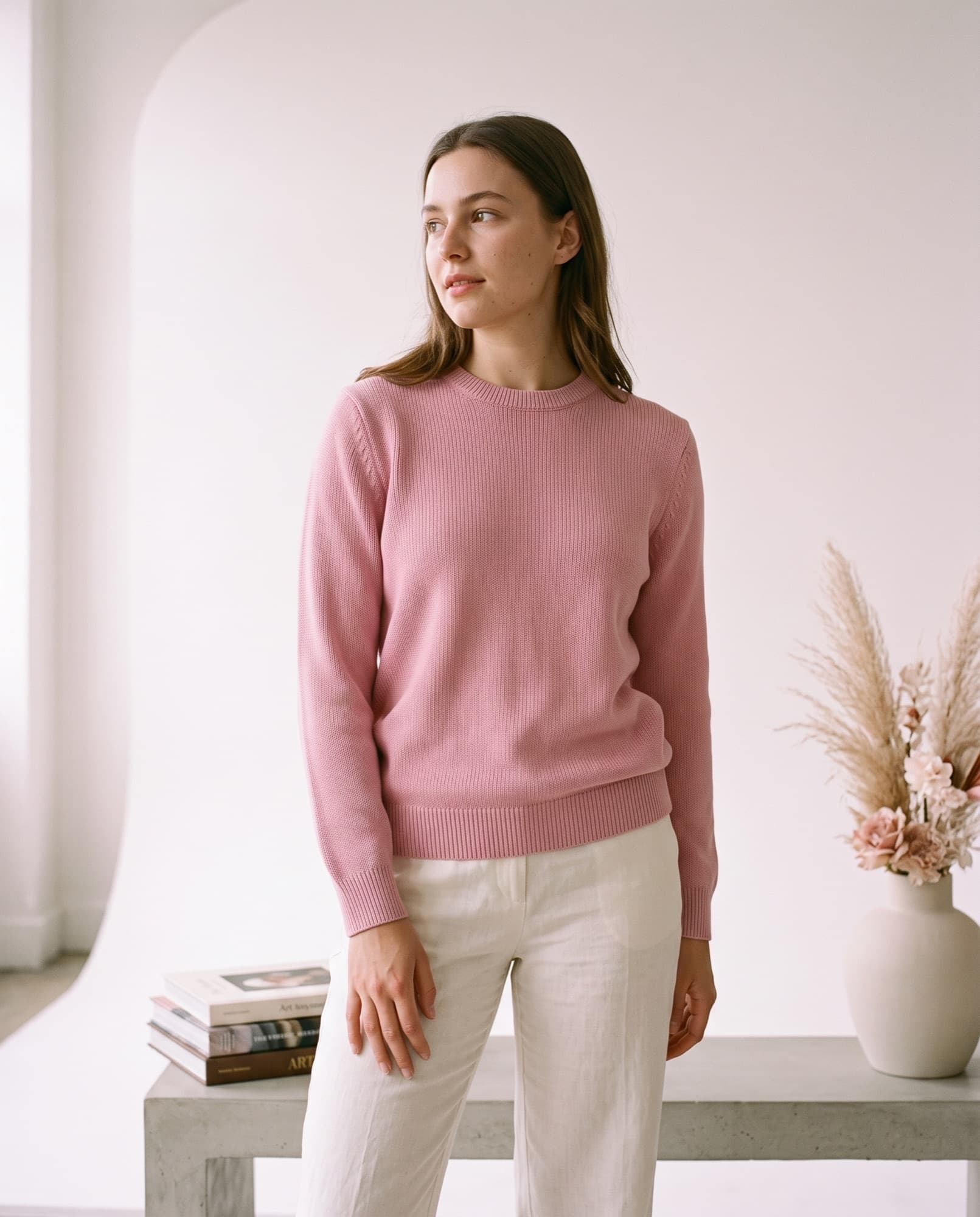 Renvido photo
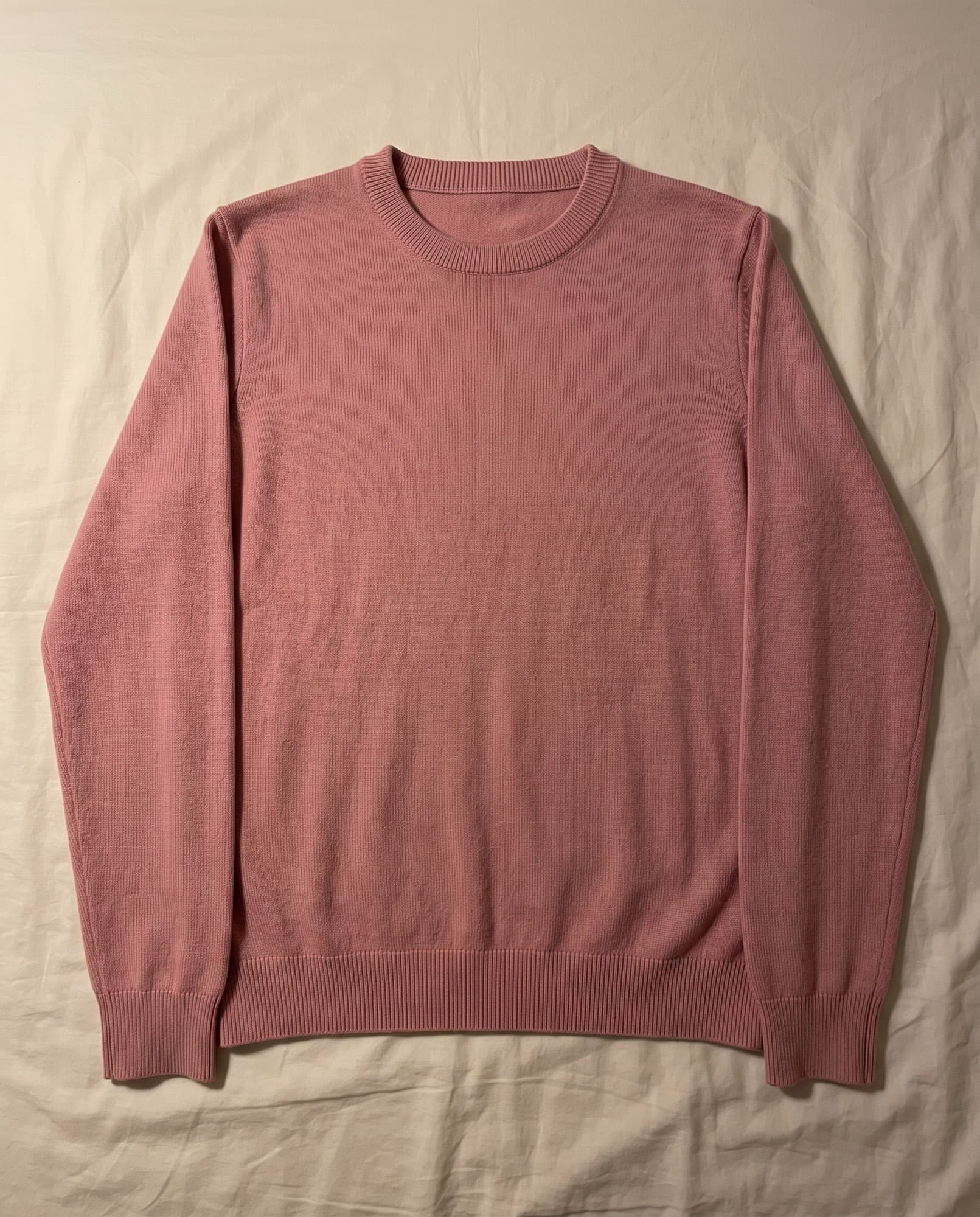 Phone photo
For a marketplace seller there’s one more payoff: a whole batch then looks like one collection instead of forty unrelated listings. And the description in your brand’s voice is written in the same pass as the photo — so listing an item stops being an evening of work.